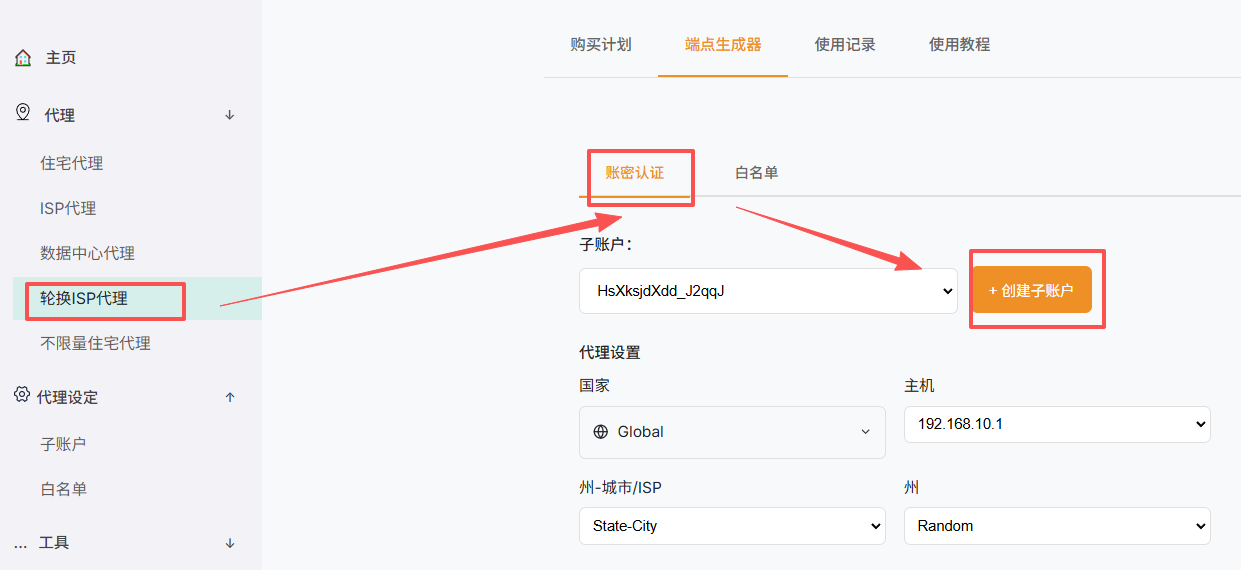
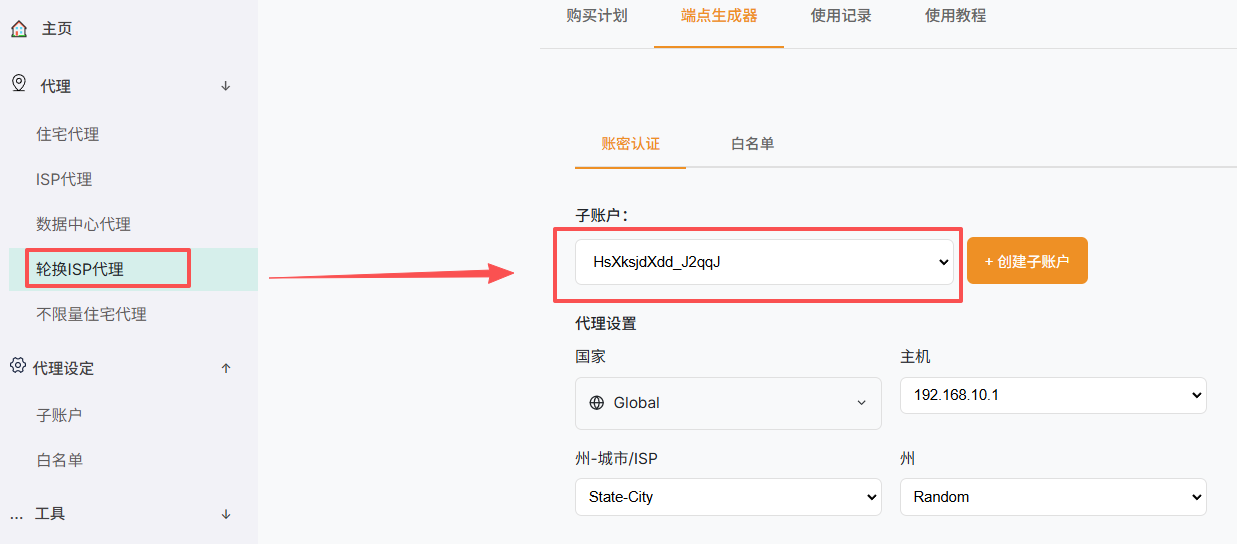
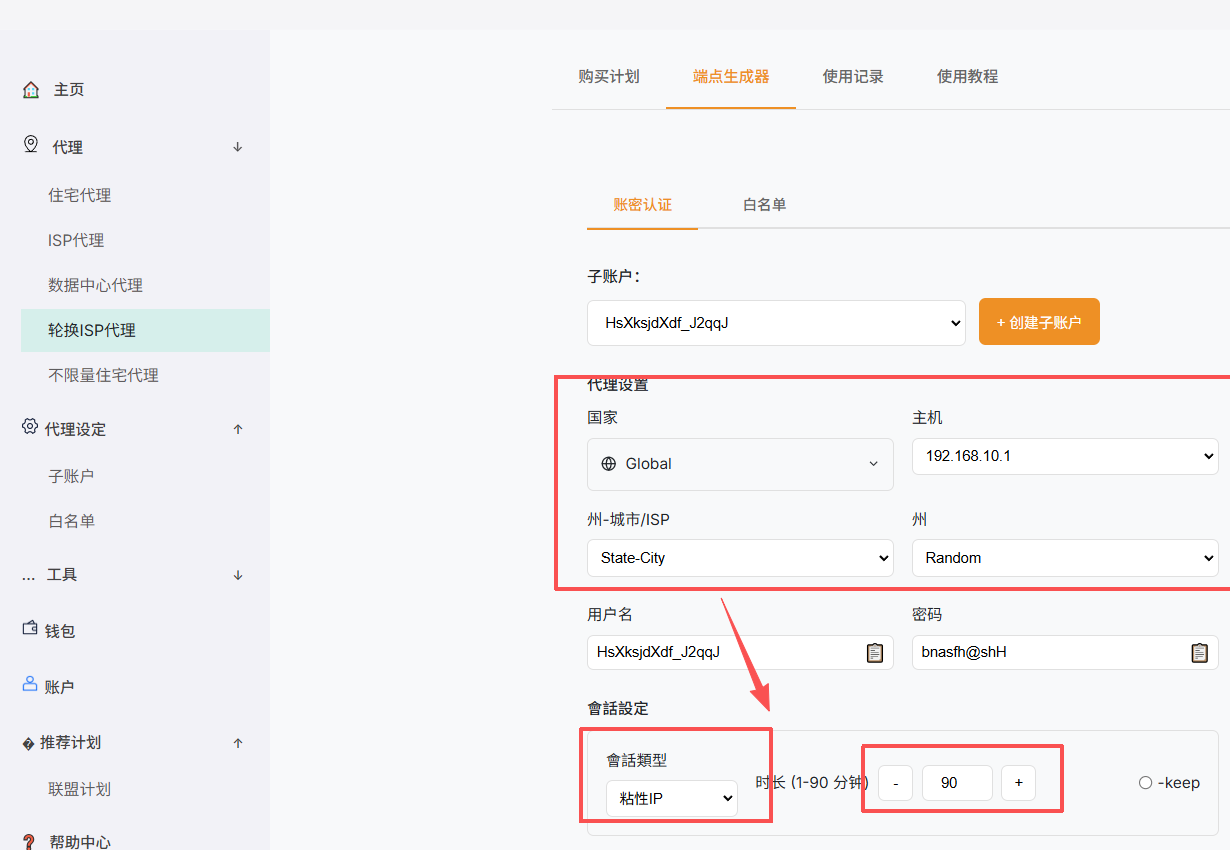
Authenticate with the password or IP whitelist mode currently available on the product page.
Key points
- Password mode: use the generated connection username and password.
- Whitelist mode: add the public egress IP before using the generated host and port.
- Both modes must use the proxy protocol selected on the page.
- Generate new connection details after changing the source network or security settings.
Note: Proxy connection credentials are not SolisProxy account login credentials.
Screenshots